
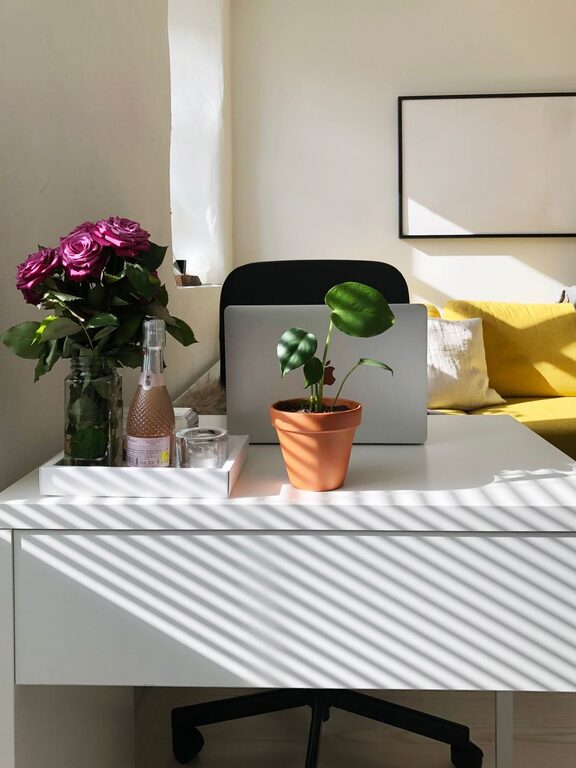
Creating a dedicated and well-organized home workspace can significantly improve your productivity and comfort while working remotely or managing tasks at home. Whether you have a small corner or an entire room to dedicate to your work, thoughtful organization can help you stay focused, reduce distractions, and maintain a healthy work-life balance. Here are some helpful tips to create a productive home workspace.
Choose the Right Location
Selecting the right spot for your workspace is the first step to ensure productivity. Consider these factors:
– Natural Light: Aim for a space with plenty of natural light. It boosts mood and reduces eye strain.
– Quiet Environment: Pick a quieter area away from household noises.
– Minimal Traffic: Avoid high-traffic areas to reduce interruptions.
If your space is limited, create a dedicated zone, such as a desk in a corner or a small table by the window, to signal your brain when it’s work time.
Invest in Comfortable Furniture
Comfort is crucial to staying productive and avoiding fatigue. Here’s what to keep in mind:
– Ergonomic Chair: Choose a chair that supports your back and encourages good posture.
– Proper Desk Height: Your desk should allow your wrists and elbows to rest comfortably while you work.
– Adjustable Equipment: Consider adjustable monitors or standing desks to vary your working position throughout the day.
A comfortable setup reduces physical strain and helps maintain energy levels.
Declutter and Organize Your Desk
A clutter-free workspace promotes focus and efficiency. Follow these tips to keep your desk orderly:
– Limit Items: Keep only essentials on your desk and store other items elsewhere.
– Use Organizers: Utilize drawer dividers, trays, or desktop organizers to separate stationery, gadgets, and documents.
– Cable Management: Use clips or sleeves to manage cables and avoid tangled messes.
Set aside a few minutes at the end of each day to tidy up the workspace so you start fresh the next morning.
Optimize Lighting
Lighting plays a vital role in reducing eye strain and increasing alertness.
– Combine Lighting Sources: Use a mix of natural light, overhead lights, and task lamps.
– Adjustable Desk Lamp: An adjustable lamp lets you focus light exactly where you need it without causing glare.
– Avoid Glare: Position screens and lamps to prevent reflections that can cause discomfort.
Good lighting helps maintain focus and protects your vision.
Minimize Distractions
Distractions disrupt your flow and extend work hours. Here are ways to minimize them:
– Use Noise-Canceling Headphones: Especially helpful in noisy environments.
– Turn Off Notifications: Silence non-essential app and email alerts during focused work periods.
– Set Boundaries: Communicate your work hours to family members or housemates.
A distraction-free environment allows for deeper concentration and better work quality.
Personalize Your Space Thoughtfully
Personal touches can make your workspace more inviting and motivate you to work, but avoid overdoing it.
– Add Plants: Indoor plants improve air quality and add a calming effect.
– Inspiring Art: Hang up pictures or quotes that motivate you.
– Comfort Items: A cozy cushion or a favorite mug can make the space feel welcoming.
Balance personalization with simplicity to keep your area functional and mentally refreshing.
Set Up Efficient Storage Solutions
Having accessible storage helps keep important items close and reduces clutter.
– Shelves and Cabinets: Use vertical spaces to store books, files, and supplies.
– Filing Systems: Organize documents with labels and folders for easy retrieval.
– Digital Storage: Regularly back up digital files and declutter your computer desktop.
Organized storage saves time and reduces stress when locating materials.
Create a Routine and Separate Work from Home Life
A well-organized workspace is only part of the equation. Developing a work routine supports productivity.
– Consistent Work Hours: Keep a schedule to signal when it’s work time and when to unwind.
– Designated Breaks: Take regular breaks to refresh and avoid burnout.
– End-of-Day Ritual: Clear your workspace and turn off work devices to mentally transition out of work mode.
Separating work from personal life improves focus during work and helps relaxation afterward.
Keep Technology Up-to-Date and Organized
Technology is essential for most home workspaces. Maintain it well:
– Regular Updates: Keep software and hardware updated for security and efficiency.
– Clean Devices: Wipe screens and keyboards regularly to maintain hygiene.
– Efficient Workflows: Use productivity tools and apps tailored to your tasks.
A smooth-running tech setup prevents frustration and saves time.
—
By following these tips, you can transform any space in your home into an effective and pleasant workspace. An organized environment not only supports your tasks but also contributes to your well-being and job satisfaction. Start small, make gradual improvements, and tailor your setup to what works best for your unique needs. Happy organizing!